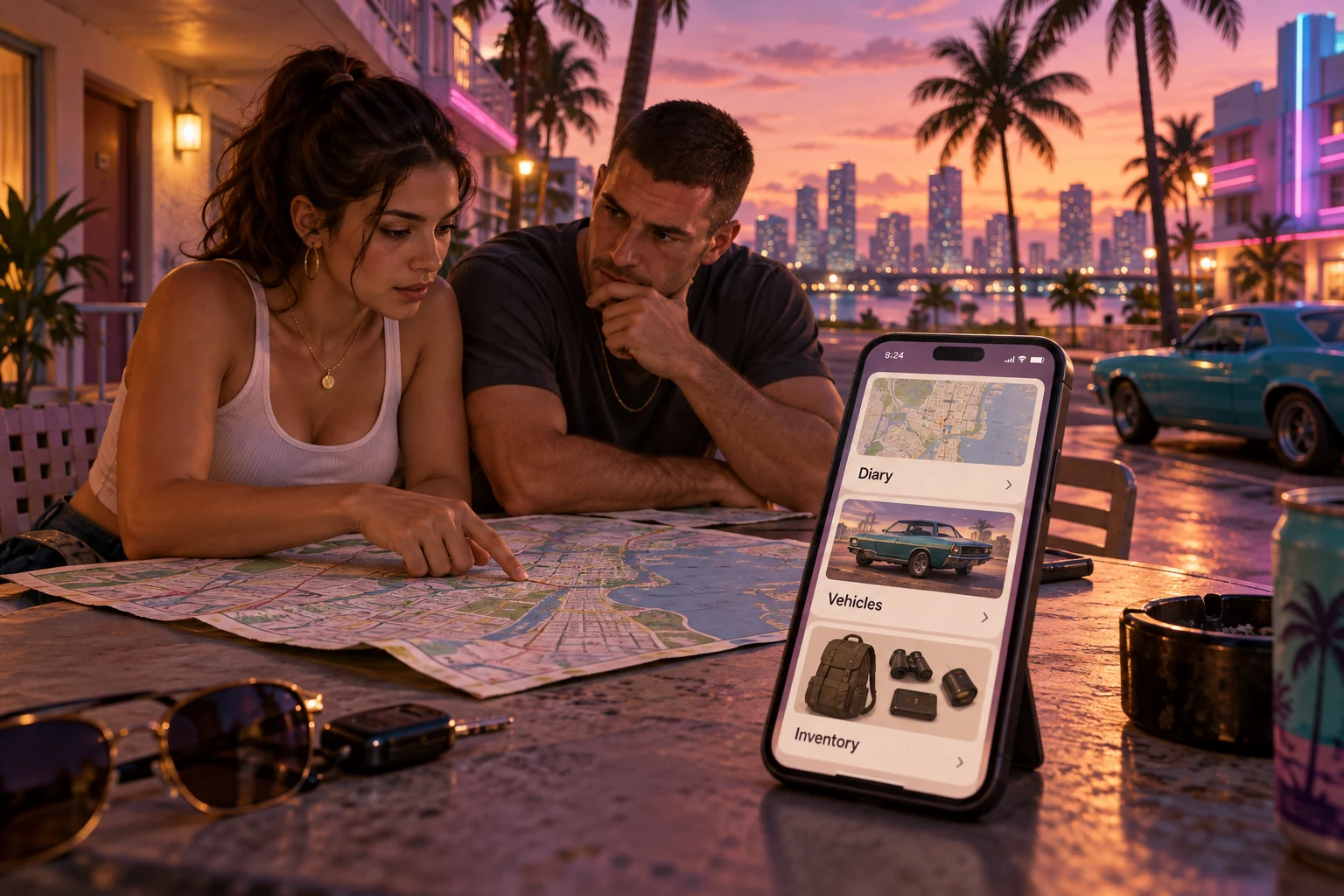
A car parked somewhere across town. An item nobody remembers picking up. Another event to add to an already complicated day. What if Jason and Lucia had one app to keep track of it all?
Grand Theft Auto GTA 6 gives us a fun starting point for imagining a custom app. Instead of another game review, let’s picture a companion tool with a shared diary, a vehicle register and a place to record who has what.
This is our own imagined app concept inspired by the fictional world of GTA 6. It is not an official Rockstar app or a description of confirmed game features. In this version, a player adds their own notes and screenshots rather than the app reading information from the game.
Another day, another incident to record
Imagine finishing a session and trying to remember everything that happened. Which character was involved? Where did it take place? Was there something you wanted to return to next time?
Our app would give each event its own entry. You could add a title, choose Jason, Lucia or both, save a location note and attach a screenshot. A short description would capture the details while they were still fresh.
An entry might read: “Unexpected detour near the waterfront. Jason was driving. Lucia spotted a place worth revisiting.” That is an invented example, but it shows how a few lines can save a lot of remembering.
You could browse the diary in date order or filter it by character. A separate list could hold unfinished plans so that your next session starts with “Here’s where I left off” rather than “What was I doing?”
The useful part would be finding the right detail quickly. Nobody needs a complicated form every time something happens.
Where did we leave that car?
In our imagined story, Jason is convinced the car is outside the motel. Lucia remembers leaving it somewhere else. A shared vehicle register would settle the argument, provided someone remembered to update it.
Each vehicle could have a photograph, a nickname, a location note and the name of the person who last used it. You could also mark an entry as current or no longer needed so that old information does not crowd the screen.
- Recognise it: use a photo and a name you will remember.
- Find it: record where you last left it.
- Know what changed: see who updated the entry and when.
This would be a record of what the player entered, not a live vehicle tracker. Showing the last update would make that difference clear.
That small detail matters in any useful app. “Last recorded at the motel yesterday” tells you something different from “At the motel right now.”
Who has what?
Now imagine the pair trying to organise their supplies. Jason thinks Lucia has an item. Lucia thinks it was left in the car. Neither wants to search three places to find out.
A shared inventory could show an item’s name, a photo, its quantity and its last recorded holder or location. Updating it would take a few taps: choose the item, change the quantity or holder, then save.
For our concept, the list might include a camera, a spare phone and a change of clothes. These are imagined examples for the app, not claims about what players can collect in GTA 6.
We would keep the opening screen simple: diary, vehicles and inventory. Each area would answer a different question, without making someone work through everything else first.
If that sounds familiar because your own equipment or job details are spread across messages, you can contact BuildMyApp about bringing them together. Your version would be designed around your business and the people who use it.
What does this have to do with your business?
You probably do not have Jason and Lucia’s problems. But “Who took it?”, “Where is it?” and “What happened on that job?” are ordinary questions in plenty of businesses.
Picture an air-conditioning company with two teams working at different customers’ premises. One team needs a piece of equipment that the other used yesterday. The customer’s latest instructions are in a message on someone’s phone, while the previous visit’s photographs are saved somewhere else.
The same three ideas could help:
- A job diary keeps visit notes and photographs with the correct customer record.
- A vehicle register records which team has each work vehicle and when that assignment changed.
- An equipment list shows who last took a tool and whether it has been returned.
The outcome is less time spent chasing basic information. A team member can check the record before calling three colleagues, and the office can see what was recorded without asking someone to forward it again.
There is still a practical responsibility: people need to keep the information current. A well-designed app makes that easy, with short forms, clear labels and useful defaults. It should fit into the working day rather than become another chore.
Your app should fit the way you work
We would not start by building every part of Jason and Lucia’s imagined app at once. We would choose the most useful task, sketch a few screens and see whether someone could use them without an explanation.
The same approach works for a business. If misplaced equipment causes the biggest headache, start with checking equipment in and out. If staff spend more time hunting for job notes, begin there instead.
A web app that opens in a browser could let the office and field teams use the same records. A mobile app for Android and iOS could be worth considering when staff need a tool they use regularly on their phones. The right choice depends on the work, the devices and the connection available.
For someone who only needs customers to see their services and get in touch, a business website may be the better starting point. There is no need to turn a simple information page into a complicated app.
Our imagined GTA 6 companion begins with fictional chaos, but the design question is quite ordinary: what information do people need, and how can we make it easier to find and update?
Think of the last time someone in your business had to ask, “Where did we put that?” That could be the starting point for a much more useful conversation than a long list of app features.
AN IDEA FOR YOUR OWN BUSINESS?
What would your app help you keep track of?
Tell us what keeps getting lost between calls, messages and notes. We can discuss a web or mobile app that brings the right information together.
Discuss your app idea