If you are asking, “How do I create an app for my business?”, you do not need to start by learning how to write code. Start by telling us what you want the app to help people do. BuildMyApp can help turn that idea into a clear design and a working app, while you stay focused on running your business.
You might want customers to access information without calling each time, or give staff a simpler way to record their work. You may already have an idea of the screens you want, but be unsure how to put everything together. That is where having someone handle the design and development can help.
Your knowledge of the business gives the project its direction. We bring the skills to work through how the app should function, build the agreed version and check that people can use it.
1. You know your business. You don’t need to know how to build an app.
You probably notice the same problems coming up during an ordinary working week. Information goes missing between shifts. Someone has to phone the office for an update. A customer’s request arrives without the details needed to deal with it.
Being able to explain that problem is a useful starting point. You do not need to know which software to use or arrive with a finished technical document.
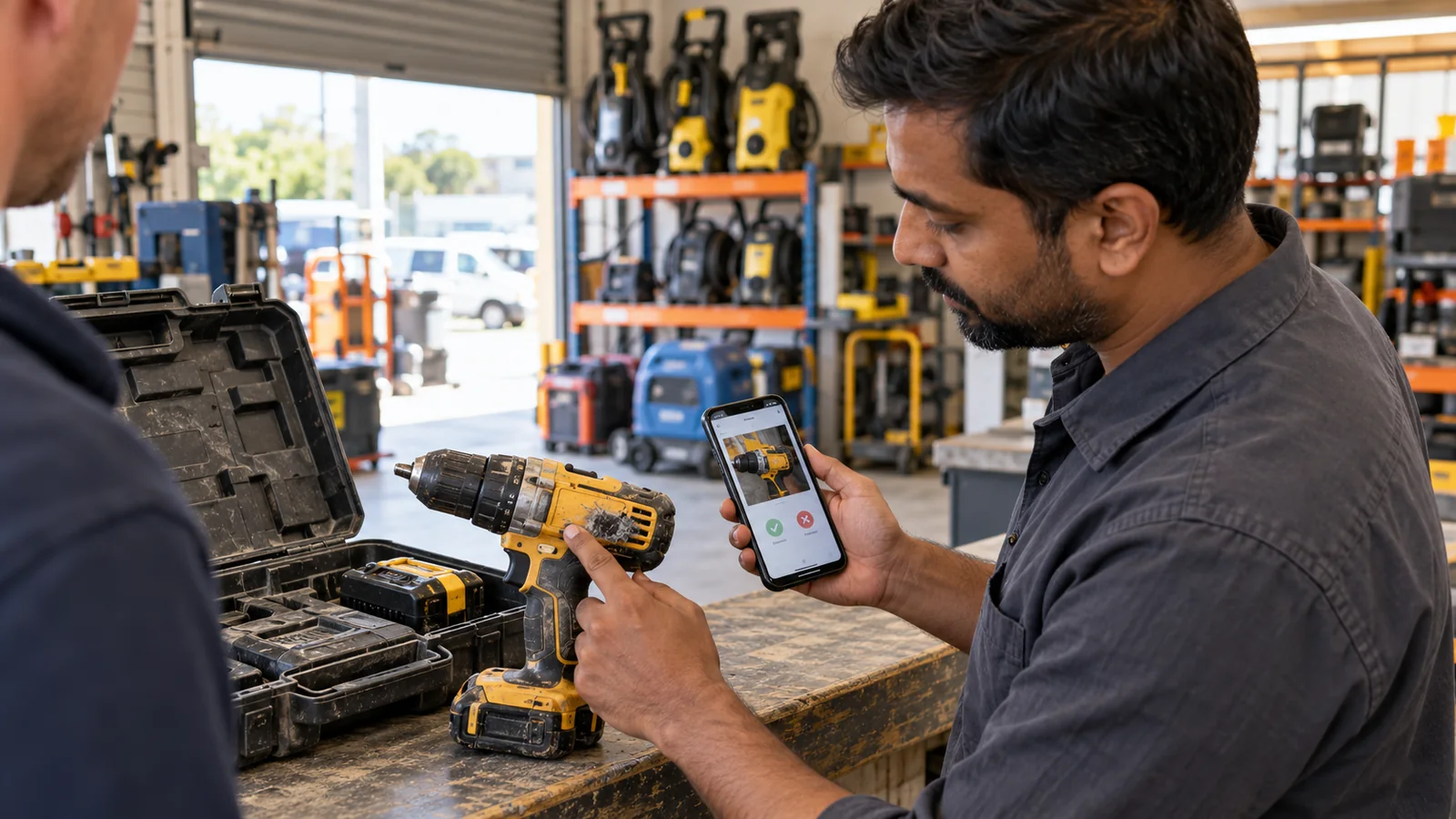
Imagine an equipment-hire business where staff check returned tools using paper notes and photographs on their own phones. The owner wants a clearer record of what came back, its condition and whether anything needs repairing.
The owner can explain the work: a member of staff identifies the tool, records its condition and adds a photograph if there is damage. Someone in the office then needs to see that information. We can work through those steps and help decide what the app should do at each point.
That conversation also helps separate the work needed now from ideas that can wait. Rather than spending evenings learning an app-building tool, you have someone helping turn a real business task into something ready to build.
2. We turn what you need into screens people can understand.
An idea becomes easier to judge when you can see how someone would use it. We can create screen designs that show the main steps, the information people need and what happens after they tap a button.
For the equipment-hire business, the return screen could show the tool’s name and identifying number, followed by a condition choice and space for a photograph. A clear confirmation would tell the staff member that the return has been recorded.
You can review that design using an example from your business. Would staff recognise the tool? Are the condition choices clear? What should happen if they select the wrong item? Those are decisions you are well placed to help with, even if you have never designed an app.
We handle how the screens fit together and explain the choices in everyday language. You can point out anything that does not match the way the work happens, so the design can be adjusted before the full app is built.
The aim is to make the next step obvious. People should not need to remember a complicated set of instructions just to complete an everyday task.
3. The app needs to work for your business behind the scenes too.
A useful app does more than collect information. The right person needs to receive it, understand it and know what to do next.
In our equipment-hire example, a photograph of a damaged drill is only part of the job. The office needs to know which drill it belongs to, when it was returned and whether it should be kept out of use. Staff also need a way to see that it is ready again after a repair.
We can plan those connections between the screens people use and the information your business needs. That may include an office view for reviewing records, different access for staff and managers, or a connection to a tool you already use. We would check what is possible before agreeing to include it.
If you can describe where information gets lost or where your team keeps doing the same work twice, contact BuildMyApp. We can discuss how an app could handle the task from the first entry through to the person who needs to act on it.
This also helps you understand what the project includes. You should be able to see how the proposed app supports the whole task, including the work that happens after someone presses “Save”.
4. We handle the building and testing.
Once the design and included work are agreed, we turn the plan into a working app. You can review progress against the business task you discussed, rather than having to judge unfamiliar code.
BuildMyApp provides mobile app design and development for Android and iOS, the software used on iPhones. We also build web applications that people use through a browser. We can explain which approach suits how your customers or staff will use the app.
Testing needs to follow the complete task. For the equipment-return example, that means checking more than whether a photograph can be added. The record needs to reach the office with the right tool details, and staff need to be able to find it afterwards.
We can also check the less convenient situations: someone leaves out a required detail, a photo takes time to send or the connection drops. The app should explain what happened and what the person can do next.
The agreed work should cover the phones or browsers being supported and how the app will reach its users. For a public mobile app, that includes preparing for the relevant app store’s submission and review process. Store approval is a separate decision, so an exact approval date should not be treated as guaranteed.
You should also understand what ongoing services and future updates will involve. We can discuss those responsibilities alongside the initial build, so you know what you are taking on.
5. Start with a conversation about your business.
You do not have to work out every screen before getting in touch. Tell us what your business does, who would use the app and what you want to make easier.
For example: “We hire out tools, and our return records are spread across paper notes and staff phones. We want one place to record the condition and show the office what needs attention.” That gives us enough context to begin a useful conversation.
Bring any examples that help explain the work, such as a blank form, a product list or a rough sketch. We can ask about the missing details and explain a suitable next step, including the proposed work, costs and what you would need to review.
You know the business and the people the app needs to serve. BuildMyApp can help with the planning, design, development and testing that turn that knowledge into an app they can use.
Contact BuildMyApp about your business app. Explain what you would like to improve, and we can discuss how to get it built.
HAVE AN APP IDEA?
Tell us what your business needs.
Explain who would use the app and what you want to make easier. We can help you work out the next step and what getting it built would involve.
Discuss your business app