If you are searching for “mobile app developers near me”, you may already know what you want your business to make easier. The next step is finding someone who can turn that idea into an app that works comfortably on the phones people use.
That means looking beyond the appearance of the opening screen. Customers need to read the information, understand what to do and finish the task. Your team needs the right details at the other end.
A nearby developer may make meeting in person convenient. You can also work through calls, messages and email. In either case, ask how you will review the app on Android and iPhone as the work progresses.
1. Start with what customers need to do
Describe a useful result before listing features. A clear task gives the developer something practical to design around.
Imagine a small delivery company whose customers often call to ask where a parcel is. The owner wants an app that lets customers check its progress and see the latest delivery information.
The customer's part might be finding a parcel and understanding its status. The driver's part might be identifying the correct parcel and recording a delivery. Both need to work for the information to be useful.
Explain who will use each part, where they will be and what happens today. Someone checking a delivery at home has different needs from a driver standing beside a van. Those details help the developer suggest a suitable layout and process.
2. Decide whether you need Android, iPhone or both
Start with the people who will use the app. Ask existing customers and staff which phones they carry rather than basing the decision on your own phone.
In the delivery example, drivers might use Android phones supplied by the business. The staff app could be planned around those devices. Customers may use a mixture of Android and iPhone, so their access needs a separate discussion.
Ask the developer to explain which versions are included in the proposal and what each will do. If you plan to add another version later, discuss how that would affect the work and costs.
The service should make sense across the phones you choose to support. Customers should be able to recognise the main task and understand the same delivery status, even where the phone's usual controls look different.
If you are still deciding whether an installed app is the right starting point, our guide to when a business app is worth building can help you work through that choice.
3. Look for working examples on real phones
Ask to try a complete task on the types of phones your app will support. A working example helps you judge whether the developer can make the service straightforward to use.
Look at the everyday details:
- Reading: can you understand the text without struggling with tiny lettering?
- Choosing an action: are the important buttons clear and comfortable to tap?
- Returning to a task: does the app keep the relevant details when someone takes a call and comes back?
- Understanding the result: can the person tell whether a request or update was received?
Include the conditions in which people will use your app. For a driver, that could mean bright outdoor light and an unreliable connection. Ask which actions need an internet connection, what can be kept for later and how the app will explain an update that has not been sent yet.
If you would like help thinking through these details, contact BuildMyApp and tell us who would use your app and what they need to do. We can help you work through the phone requirements as part of planning its design and development.
4. Choose phone features that serve a purpose
A feature earns its place when it makes the task easier. Explain the result you want and ask the developer to show how a phone feature would help achieve it.
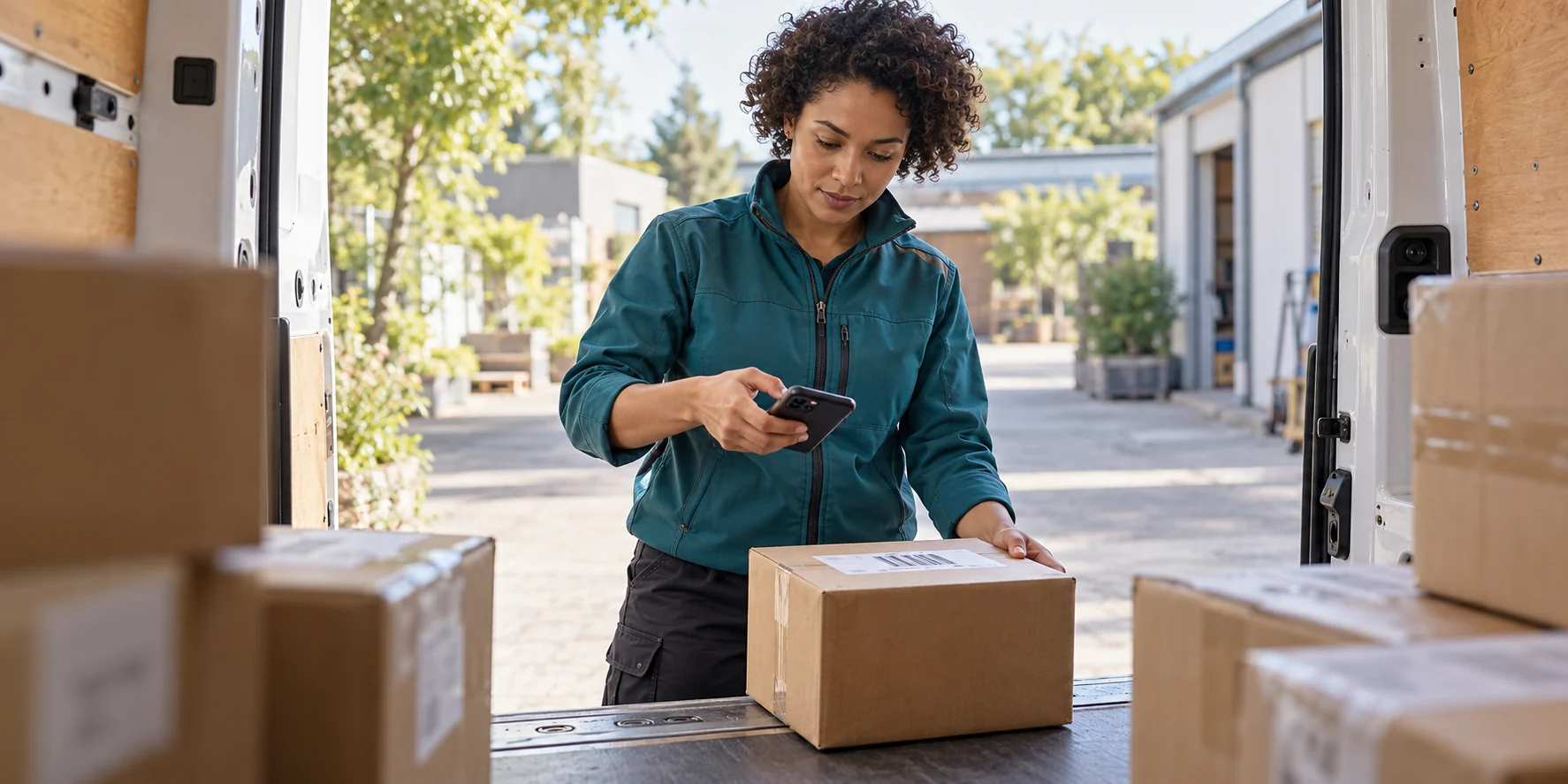
For the delivery company, scanning a parcel label with the camera could save a driver from typing a long reference number. The app would still need a way to handle a damaged or unreadable label.
A photo could help record a delivery where that suits the service. Location information might help with an agreed part of the delivery process. Discuss what information is needed, when it is used and how that will be explained to the person using the phone.
Notifications should also have a clear job. A useful delivery update gives a customer a reason to open the app. Agree which events deserve a message so people are not interrupted by unnecessary alerts.
You do not need to include all these features. Start with the ones that support the main task and are practical for your business to manage.
5. Plan how customers will start using the app
Think through the first visit as well as the finished service. Someone needs to find the right app, understand what it offers and know where to begin.
Agree who will prepare the app's store page, description and screenshots where store distribution is part of the plan. Your website and customer messages can then point people towards the correct app and explain what it makes easier.
Keep the first task clear. In the delivery example, a customer who wants to check a parcel should be able to recognise the tracking option and understand which reference to enter.
Discuss which information is needed to provide access safely. Staff may need an account to change delivery records. Customers may need a different way to view the information relevant to them. Ask the developer to explain the proposed approach in everyday language.
Let someone unfamiliar with the idea try the first visit. Watch where they hesitate and use that feedback to improve the wording and screens.
6. Agree on a complete first version
A useful first version should take the main task from start to finish. For the delivery company, that means more than showing a parcel list. A driver needs to update the correct record, and the customer needs to see the resulting information clearly.
Agree how you will check that the process works. Try an ordinary delivery, an incorrect reference and a connection that drops during an update. Review both the customer's view and the staff's view.
Write down which phones will be tested, when you will try the work and what must be ready before launch. Put additional ideas on a separate list so they can be considered after the main service is working.
Our guide to planning, testing and launching a business app covers that wider project journey.
A search for “mobile app developers near me” is a starting point. Use the first conversation to find someone who understands the way people will use your app and can explain how you will review it on real phones.
BuildMyApp offers mobile app design and development for Android and iPhone. Tell us what your business wants to make easier, and we can discuss a practical first version around that task.
PLAN YOUR MOBILE APP
Tell us who will use your app and what they need to do.
BuildMyApp can help you work through the idea, choose a practical first version and plan the design and development for Android and iPhone.
Talk to us about your mobile app